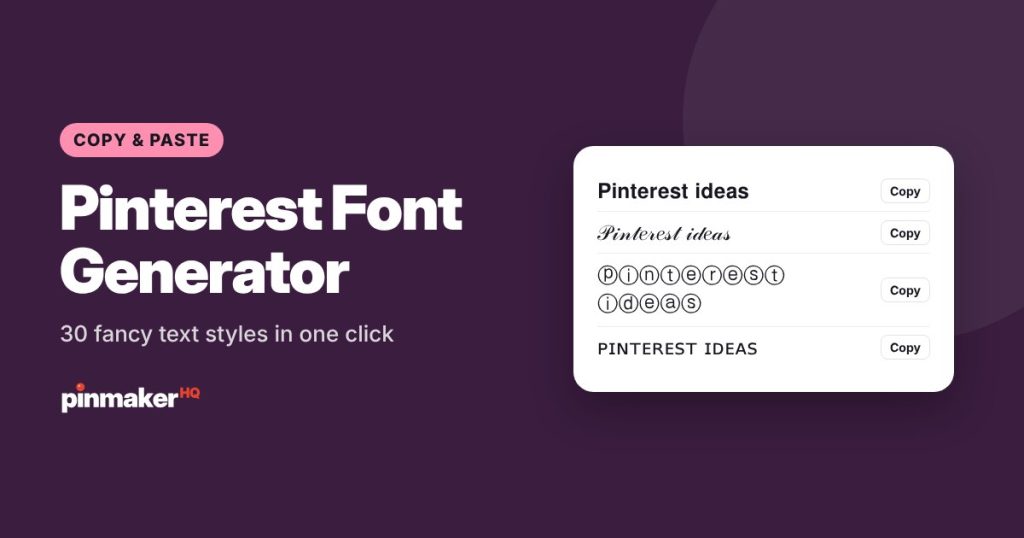
Type your text once and get 30 Pinterest fonts, fancy text styles you can copy and paste into Pinterest: bold, italic, cursive, bubble letters, small caps and more. Free, instant, and nothing to install.
How to use the Pinterest font generator
- Type or paste your text in the box. Your profile name, a bio line or a board name all work.
- Pick a style group like Bold, Cursive or Bubble, or scroll through all of them.
- Tap Copy next to the style you like.
- Paste it into Pinterest: your profile name, About section, board name or board description.
Where fancy fonts work on Pinterest
These “fonts” are really special Unicode characters, so they work anywhere you can type text. Some places get more value from them than others.
| Place | Good idea? | Why |
|---|---|---|
| Profile name | Yes, sparingly | One styled word can make your name stand out in comments and search results. |
| Bio (About) | Yes | A styled heading line or divider helps people scan your bio. |
| Board descriptions | Sometimes | Fine for a short heading, but keep the keywords in plain text. |
| Board names | Rarely | Plain board names are easier to find in search. |
| Pin titles and descriptions | No | Pinterest search reads styled letters as symbols, not words. |
Why pin titles should stay in plain text
When you type a word in a fancy style, each letter is swapped for a different Unicode character. To a person it looks like “𝐁𝐨𝐡𝐨 𝐁𝐞𝐝𝐫𝐨𝐨𝐦”. To Pinterest search and to screen readers it’s a string of math symbols. That means:
- Your pin won’t match the search “boho bedroom”.
- Screen reader users may hear each symbol read out one by one, or nothing at all.
Use fancy text for personality, and keep every word you want to be found for in normal letters.
Styles you can make
- Bold and italic: serif and sans-serif versions, for a clean emphasis.
- Cursive and script: a handwritten look for names and headings.
- Gothic and outline: bold statement letters.
- Bubble and square letters: playful letters in circles and boxes.
- Small caps and tiny text: subtle styling for bios.
- Lines: strikethrough, underline and double underline.
- Decorated: sparkles, hearts, flowers and brackets around your text.
Tips for using fancy text well
- Style one or two words, not everything. A styled name plus a plain tagline is easier to read than a whole bio in cursive.
- Check it on your phone. A few styles don’t show on older devices and appear as empty boxes.
- Keep it short. Long lines of styled text are tiring to read.
- Match your brand. If your pins use a bold sans-serif font, a bold sans style in your bio ties everything together.
The best fonts for Pinterest, and where to use them
Pinterest doesn’t let you pick a font for your profile or boards, so these fonts for Pinterest are really special Unicode letters. They look like a different font, but they’re characters you can paste anywhere that accepts text.
| Where on Pinterest | Font styles that work well | Tip |
|---|---|---|
| Profile name | Bold, small caps, sans bold | Keep the main word in plain text so people can find you |
| About section (bio) | Italic, cursive, small caps for one line | Use it for a short tagline, not the whole bio |
| Board names | Plain text | Board names should be searchable, so skip fancy fonts here |
| Comments | Any style | A fun way to stand out |
| Pin titles and descriptions | Plain text only | Pinterest search can’t read styled letters |
Want a font on your pin image instead? That’s a different thing: text on the image itself. Our free pin maker has bold, readable fonts built for pins, with 16 layouts sized for Pinterest.
Frequently asked questions
What font does Pinterest use?
The Pinterest app uses its own clean sans-serif font, and you can’t change it. To make text look different on Pinterest, paste styled Unicode letters from a font generator like this one.
How do I change the font on Pinterest?
You can’t change Pinterest’s own font, but you can type your text here, copy a style you like, and paste it into your profile name, bio or a comment.
Is this Pinterest font generator free?
Yes. It’s free with no sign-up, and the text is converted right in your browser.
Will fancy fonts work in my Pinterest profile name?
Yes. Paste the styled text into your profile name in Pinterest settings. Pinterest may limit the length, so keep it short.
Do fancy fonts help my pins rank in Pinterest search?
No. Search reads styled letters as symbols, so use plain text for pin titles, descriptions and board names you want people to find.
Why do some styles show as boxes?
The device you’re viewing on doesn’t have that character. Pick a more common style like bold or italic if your audience uses many different devices.
Can I use these fonts on my pin images?
These are text characters, not image fonts. To put a bold title on a pin image, use the free Pinterest pin maker, which has 10 pin fonts built in.
More free tools